







APP 50% OFF
Get Exclusive Discount



Global peptide use has grown tremendously in the past few years - what started out as a niche in the wellness industry has become one of the biggest trends associated with longevity, health, weight loss, and muscle growth. Naturally, there are plenty of apps that have popped up, as well - platforms designed to help users manage and deal with their protocols. In this MAX Peptide AI review, we’ll talk about the leading option on the market today.
A bold claim to make? Perhaps. But the team behind the MAX Peptide AI app has been very proud of what they've built! Since I've figured out the ins and outs of the app, I think now is the perfect time to tell you why it's as cool as it is.
But, hey - don’t take my word for it. Check out the MAX Peptide AI app review below, and try the app yourself - I think you’ll see pretty quickly why it’s the only peptide tracker application you might ever need.
MAX Peptide AI is a leading peptide tracker app, available on both the Apple App Store and Google Play. The app acts as a ‘mega hub’ for all things peptide, in addition to supporting a wide array of nutrition-, sleep-, training-, and recovery-related features. MAX Peptide AI is positioned to be the perfect choice for anyone who’s looking for a peptide management tool, and who prefers to use a single application for all of their wellness-related aspects. View MAX Peptide AI
Short on time? Fair enough - you can take a look at this quick overview table I’ve come up with below. It won’t tell you the full story (so I’d still suggest reading through the entirety of the MAX Peptide AI review), but you should still be able to get a general idea of what you’re working with.
| Platform Availability | iOS & Android |
| Peptides Supported | 100+ |
| Dose Tracking | ✅ |
| Injection / Reminder Features | ✅ |
| Side Effect Tracking | ✅ |
| Customization Level | High |
| Ease of Use | Medium |
| Pricing | Weekly - $7.99 Monthly - $12.99 Annual - $49.99 |
| Key Features | AI body scan, lab result analysis, peptide dose & reconstitution calculator, injection tracking & logging, push notifications (reminders), nutrition & other wellness metric tracking, Apple Health & Google Health integrations. |
| Best For | People serious about their peptide tracking & use, wellness enthusiasts who want to improve their nutrition, sleep, training & recovery. |
Right, so - what makes MAX Peptide AI so cool?
We’ll get into the details in a second, but from a more generalised point of view, I’d say the strongest aspects of this peptide tracker tool are:
First and foremost, the obvious - peptide tracking functionality. MAX Peptide AI has a huge library of peptides that users can track, and comes with a dosage & reconstitution calculator, custom protocol creation & management, injection reminders, inventory tracking, injection site tracking, and a few additional features that you might expect from an app of this kind.
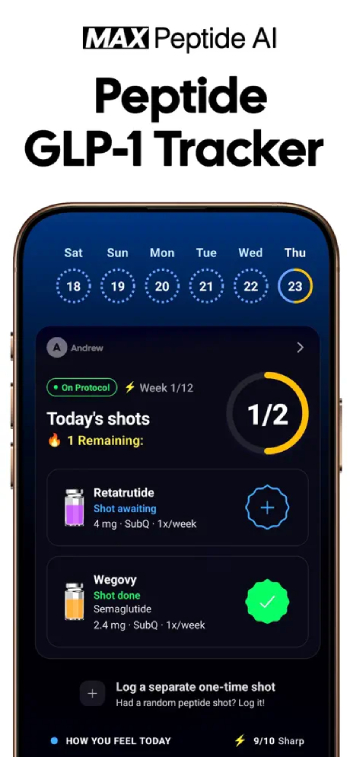
Put plainly, no matter what your peptide-related goals are, or which peptides or stacks / protocols you want to track, the MAX Peptide AI app will provide you with all of the tools you might require.
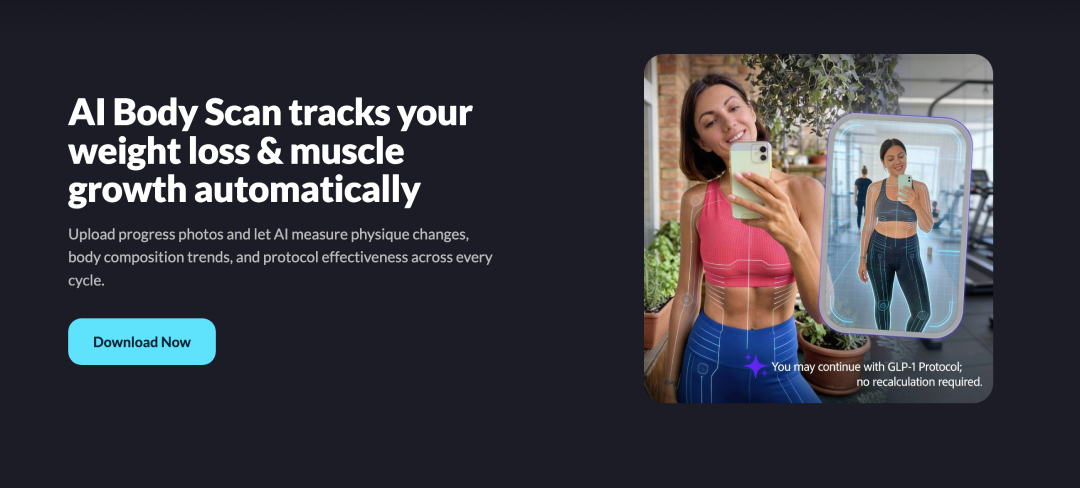
The app also features advanced AI functionality - it’s kind of in the name, really. You’ll be able to utilize built-in features, such as AI body scan and lab result analysis, as well as consult the AI database about any questions that you might have regarding specific peptides, dosage, cycles, or anything in between.
Earlier in this MAX Peptide AI review, I mentioned that this is essentially a “mega-app”. In large part, that’s due to the fact that peptide tracking is just part of a larger equation.
MAX Peptide AI features nutrition, as well as sleep, recovery, and fitness tracking. Each of these topics have their own dedicated tools that users can check out, and it all builds into a shared ecosystem that you’re able to customize according to your personal needs.
MAX Peptide AI has built-in tools to track side effects (those associated with peptide use), which can be very useful if you’re on a prescribed regimen, and need to discuss these things with your healthcare provider.
I’ll be the first one to admit - MAX Peptide AI isn’t perfect. No app is. The team has poured themselves into the project, with the goal of creating the best peptide tracking tool on the market today. However, users looking into what is MAX Peptide AI should still be aware of the full picture, before deciding if this is the right tool for them.
Probably the biggest “con” that should be mentioned in this MAX Peptide AI review is the fact that the app is as large and multi-faceted as it is. It may sound strange, but this can actually work against the user, in a way - it may appear to be intimidating for anyone who’s new to peptides, or isn’t really experienced with using health tracker apps, in general.
You probably know what I’m talking about - the moment when you download a new app, open it up, and are swept away by the variety of feature choices available. For beginners or people who are simply “looking around”, MAX Peptide AI could invoke a feeling like this.
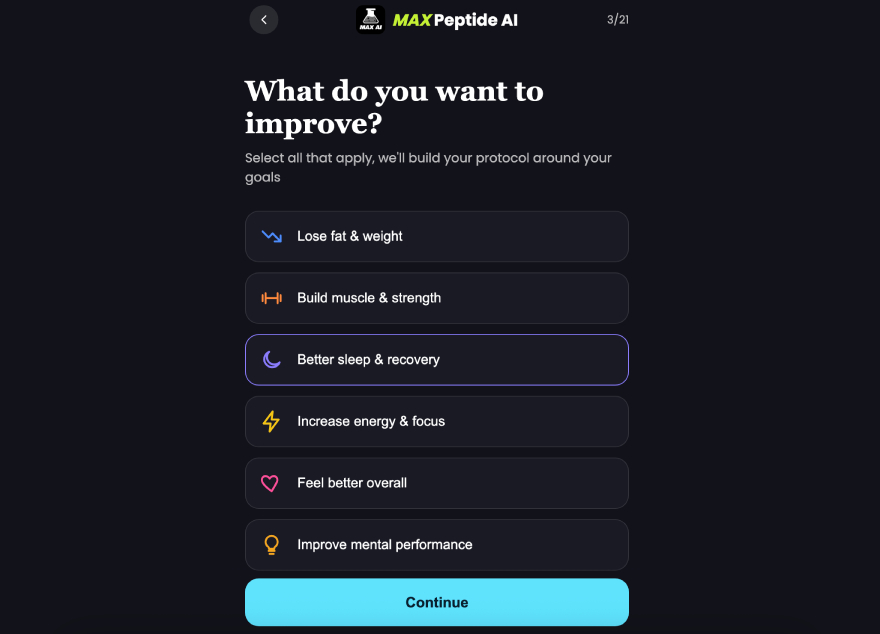
On the flip side, the team has put a lot of effort into making the onboarding process as smooth and seamless as possible. After taking a quick quiz, the app will calibrate around your preferences, and after a few minutes of tapping around, you should be able to find all of the features that you might need, without any problems.
Up to this point in the MAX Peptide AI app review, we’ve taken a sort of bird’s-eye view approach to analyzing the platform. So, let’s get a bit more specific, and talk about the most notable features of the application.
At the time of writing, MAX Peptide AI supports over 100 different compounds. This includes both mainstream, well-known peptides, as well as some of the more niche ones out there.
People get into peptides for a wide variety of reasons, and the team behind the app is aware of that. So, no matter if you’re looking to use GLP-1s (like Mounjaro, Ozempic, or Wegovy), fitness-related compounds (Ipamorelin, TB-500), or even some experimental options (Retatrutide), you’ll be able to track all of them on MAX Peptide AI.
One of the highlights of this MAX Peptide AI review, the app features full protocol tracking tools.
In a separate, dedicated section on the application, you’ll be able to view and manage your stack, usage timeframe, history, and targets / goals - all forming a protocol score for you to analyze and improve on.
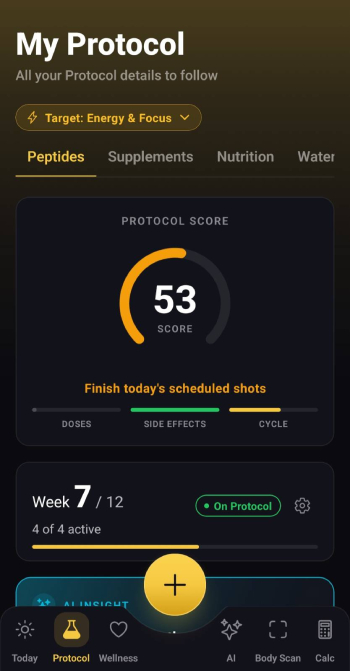
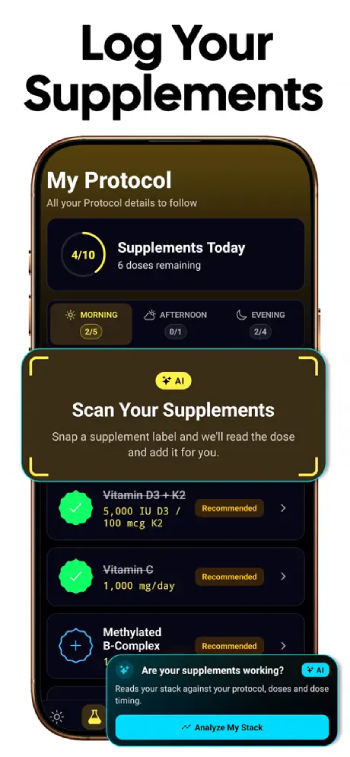
The protocol itself will be made up of the peptides / stacks that you’ve added to your profile, so the experience is completely custom to you. The same section houses supplement, nutrition, and water intake tracking, with specific recommendations tailored to your personal situation.
So, put short - if you’re wondering is MAX Peptide AI legit, you can rest assured that it’s full of tools that will make the entire experience of using it tailored to your needs and goals.
On MAX Peptide AI, you’ll be able to log your doses effortlessly, with just a couple of taps.
One of the cooler features associated with this is injection site tracking. As you’re probably aware, rotating peptide injection sites is highly recommended[1], especially if you’re on a protocol that requires multiple injections per week. Tracking all of that can be a pain - not with MAX Peptide AI, however!
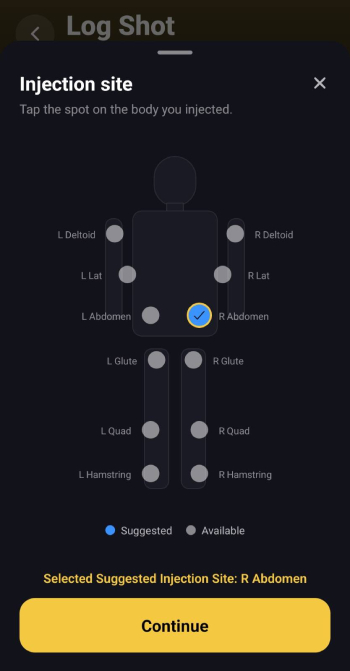
You’ll be able to specify your injection sites and track side effects associated with each shot. It’s highly convenient, as it allows you to get rid of sticky notes and calendar reminders.
This is one of the features that help MAX Peptide AI stand out from the crowd of other, similar peptide tracker apps.
Side effect tracking isn’t necessarily a new thing, but it’s still a feature that’s not very common with peptide trackers. I’m happy to say that, as far as this MAX Peptide AI review goes, it’s something that you’ll be able to track very easily with the application in question.
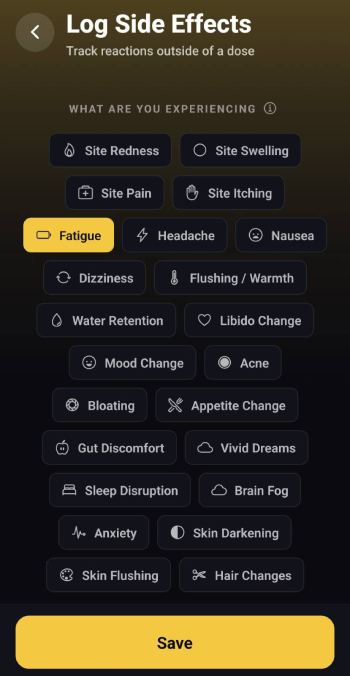
You can log side effects after every dose, or daily. There are templates to pick from (some of the most common side effects associated with peptide use), but you may also choose to add custom notes, if you so wish to.
Keeping track of how your body is reacting to peptides and / or dose escalations can be very useful, especially if it’s measured over a longer period of time. It wouldn’t really be a “peptide mega app” if it lacked functionality like this, now would it?
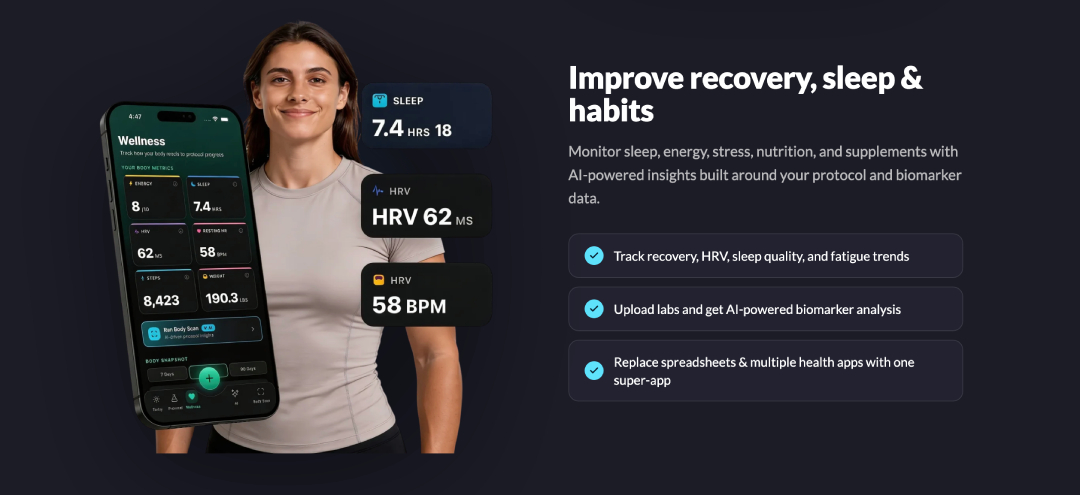
MAX Peptide AI allows you to track your sleep and recovery, in addition to all of the other features mentioned above.
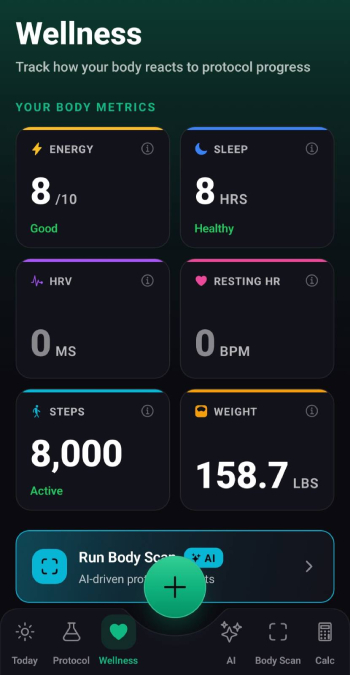
This tracking can be done either manually or with the help of Apple / Google Health integrations. These metrics will then play a role in the app analyzing your general wellness outlook and providing you with concise reporting on how you’re doing longer-term.
Admittedly, this isn’t really a specific feature of the app, but rather, the result of a collection of different features and customization options.
Since it’s a relatively new project, there aren’t all that many user MAX Peptide AI reviews online. That being said, the feedback that does exist tends to mention the app being very easy to customize and tailor to one’s specific goals.
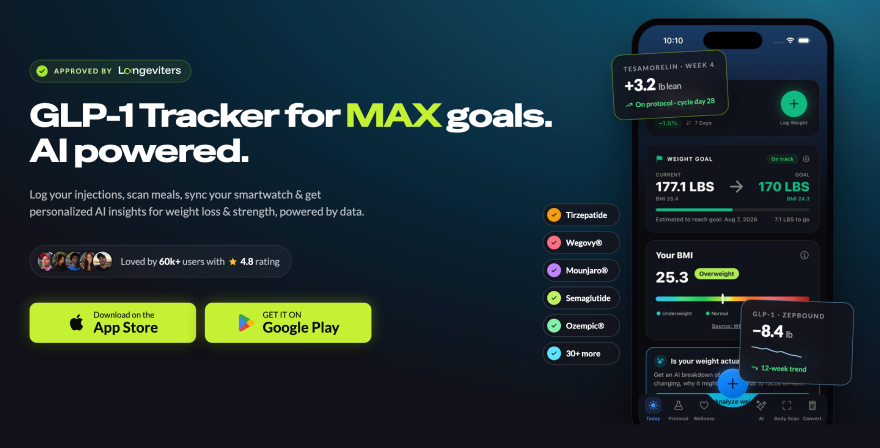
Indeed, that was actually kind of the goal that the development team had in mind when they initially set out to work on MAX Peptide AI! The goal was always simple - to provide users with all of the advanced peptide tracking functionality that they might need, and integrate a wider ecosystem of features that wellness and longevity enthusiasts might deem useful.
As a result, MAX Peptide AI serves a wide range of use cases. In fact, counterintuitive as it may seem, you can actually use the app even if you have nothing to do with peptides, whatsoever - the core nutrition, sleep, recovery, and fitness tracking features will still be available either way!
Once again, as the name of the app likely suggests, MAX Peptide AI utilizes quite a few advanced AI features.
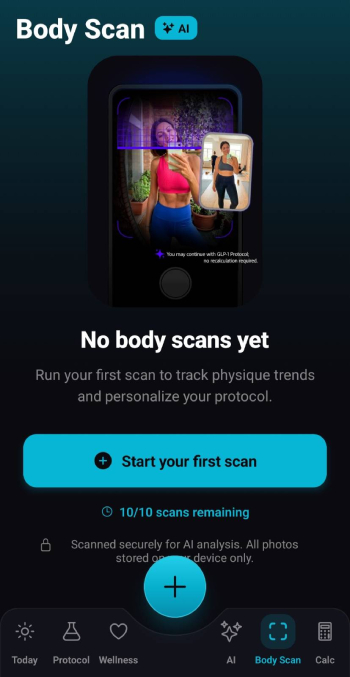
One of the more notable of these are the AI body scans. You can upload a picture of yourself for the AI to analyze, and it will then give you some feedback on your progress, as well as what to look out for during peptide use / training / nutritional habits. This feedback is 100% custom to you, and the information that you’ve provided the AI with.
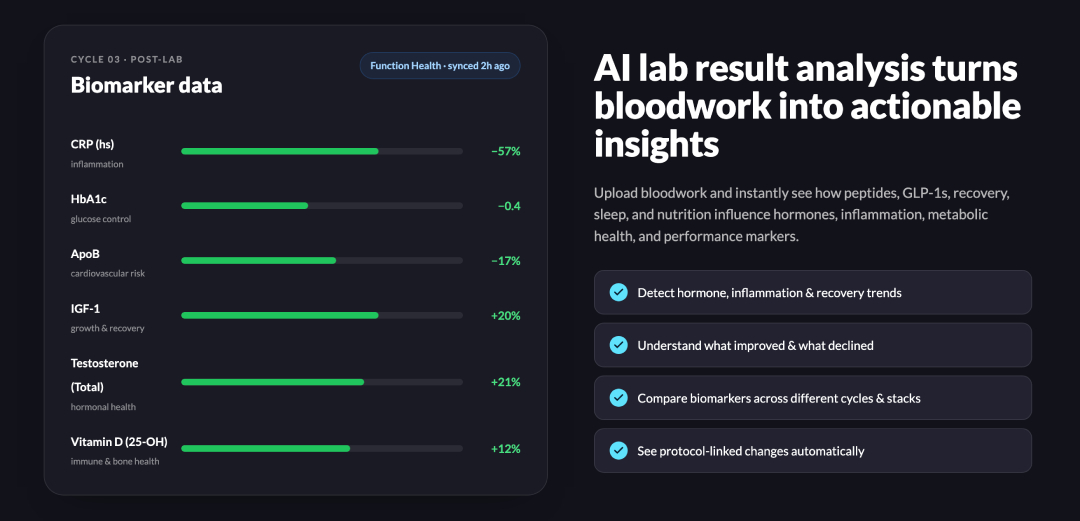
On top of that, you may also use AI to analyze lab results from your tests. While it’s definitely not a replacement for actual healthcare provider feedback, this feature can be really helpful in understanding complicated healthcare jargon[2], so that you’ll know what to ask your doctor the next time you see them.
There are plenty of additional features to explore - some of which I haven't even mentioned in this MAX Peptide AI review! You can ask the AI assistant questions about your peptide use and dosage, compare different compounds, get help with protocol management, upload and analyze your meals for their nutrition scores, and so much more.
All of the features are custom-tailored around your personal situation and stats. This removes the vague generalizations that are so common with many other peptide tracker apps.
If you’re still curious is MAX Peptide AI good, you’ll be glad to hear that the app is available on both the Apple App Store and Google Play. More than that, it supports both Apple Health and Google Health integrations, so you can connect the app and continue tracking your wellness metrics easily, with just a couple of taps.
Now, then - the big question. What is MAX Peptide AI pricing, and is it worth the cost, to begin with?
One of the key aspects that the team was focused on with the app is keeping it reasonably priced. At the time of writing this MAX Peptide AI review, the app is actually one of the most affordable peptide trackers on the market!
Here’s how the pricing breaks down:
If you’re lucky, you may also be able to access a discount, and get the app even cheaper. Even with the standard pricing ranges, however, the MAX Peptide AI plans can be considered very affordable, especially when you take into account how much advanced functionality there is to explore and utilize.
Now that we’ve covered all of the major aspects in this MAX Peptide AI review, you might be thinking - “wow, that’s such a cool app! I want to try it out, but how do I go about doing that?!”.
I appreciate your enthusiasm! Let me show you the ropes - I won’t go into a full-blown tutorial here, but we’ll lay the groundwork for how you can start using the app!
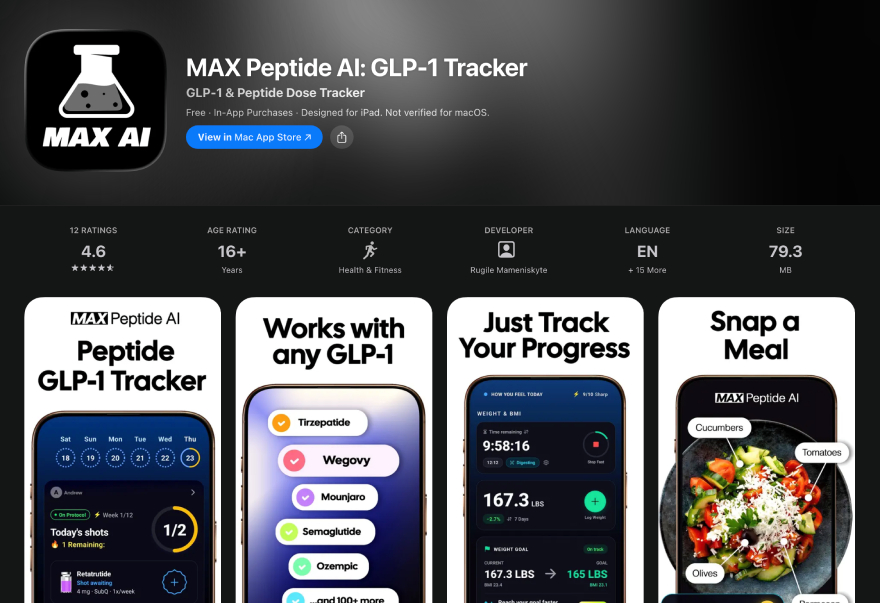
First and foremost, you’ll want to download and install MAX Peptide AI. You can follow this link, and it’ll guide you to the right app store.
Once the app is installed and you launch it, you’ll be prompted to pass a quiz - choose your answers carefully, since this will act as a sort of optimization tool for your experience with the app.
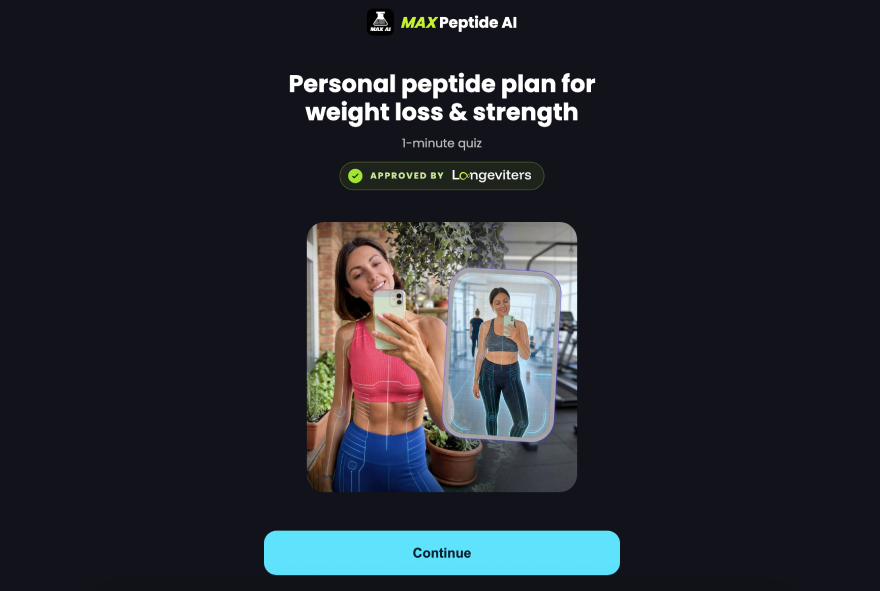
That said, you’ll be able to change all of the information you input later, as well.
Once you finish the quiz and unlock your access to the app, this is where the magic happens.
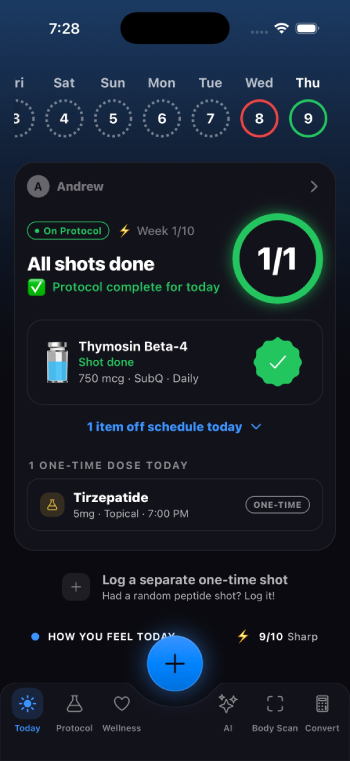
At the bottom of the screen, you’ll see the different sections that you can explore. You can track and update all of your progress for today, access your protocol information (once you have your peptides set), view your wellness stats, AI features, use the body scan function, as well as the available dosage calculators.
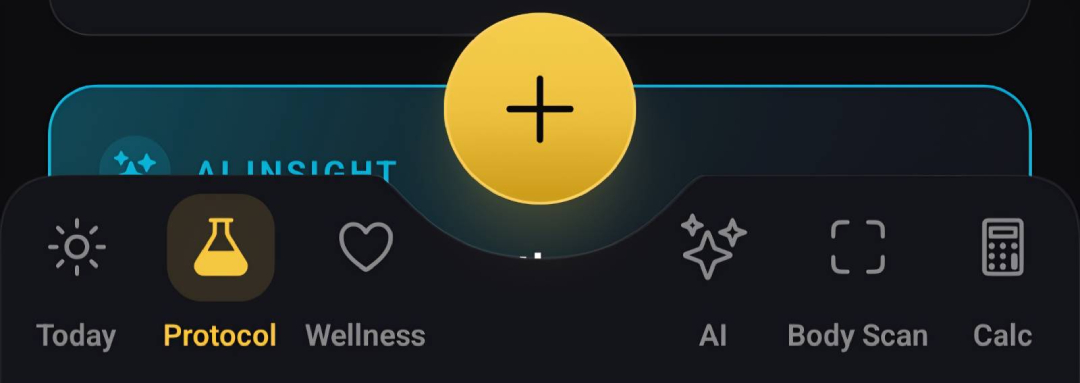
Each section houses a variety of related subsections, as well, so there’s plenty to explore once you first boot up the app.
Furthermore, each section also has a big “+” in the middle of the screen - tapping on it will reveal additional features for that section. In most cases, if you want to log / add something, that’s the button you’ll use.
We can’t really finish off this MAX Peptide AI review without comparing and contrasting the app in question to some of its main competitors - so, let’s do just that!
This way, you’ll be able to see what MAX Peptide AI does better than some of the biggest names in the industry, and make up your own mind about whether or not it’s worth checking out, as an alternative.
Shotsy is a good option for those who just want a simple GLP-1 tracker. It gets the basics right: injection reminders, logging doses, calendar view, weight tracking, and health integrations, among others. That may be sufficient for someone on a straightforward regimen of semaglutide or tirzepatide.
The main difference is that MAX Peptide AI is built for a larger peptide tracking use case. Meaning, if you’re looking for a more thorough app, or simply a tracker that’s not completely focused on GLP-1s, MAX Peptide AI is going to be a better choice.
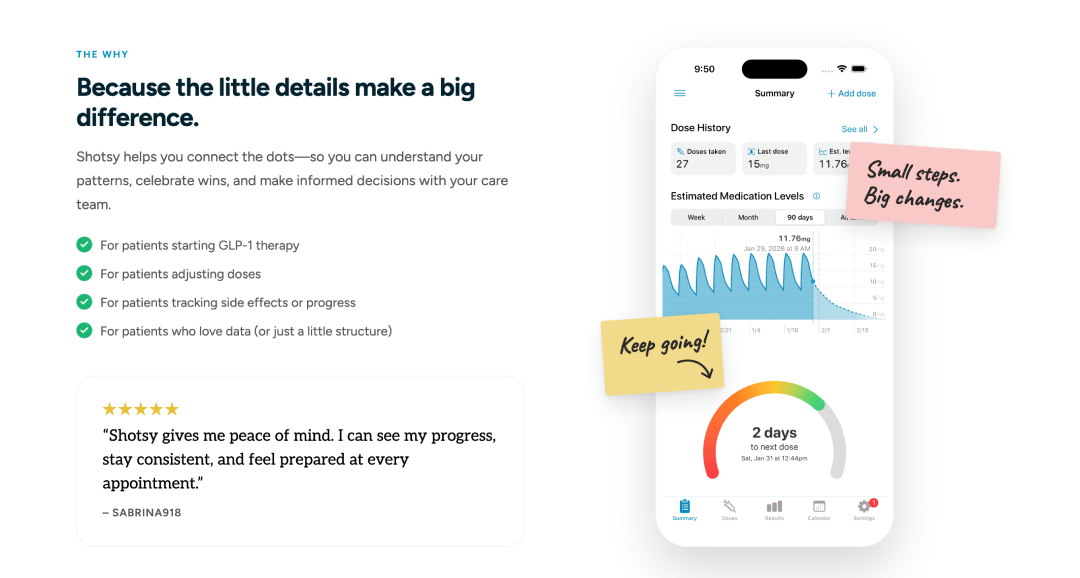
Admittedly, Shotsy is polished and easy to use, but its peptide-specific tools are less comprehensive. The app doesn’t really support custom peptides, and has poor inventory tools + no reconstitution calculator.
So it really depends on what you want to do. If your top priority is tracking GLP-1 injections and weight-loss progress in a clean and simple way, Shotsy can work. However, if you want to be able to handle multiple peptide protocols, track progress from many directions, and store more of your wellness data in one place, MAX Peptide AI is better.
Similar to Shotsy, MeAgain is also more GLP-1- and lifestyle-focused. It features weight tracking, symptom tracking, reminders, and general habit support. That kind of simple structure is useful for users trying to be consistent with a weight-loss routine.
As far as this MAX Peptide AI review is concerned, the app in question goes a few steps further. The key difference is depth - MeAgain seems more geared toward users who want to track a GLP-1 journey, focusing on weight loss, symptoms, and visual progress. MAX Peptide AI is more for users who want to organise peptide use in detail, especially if they manage more than one compound or care about the structure of their protocols.
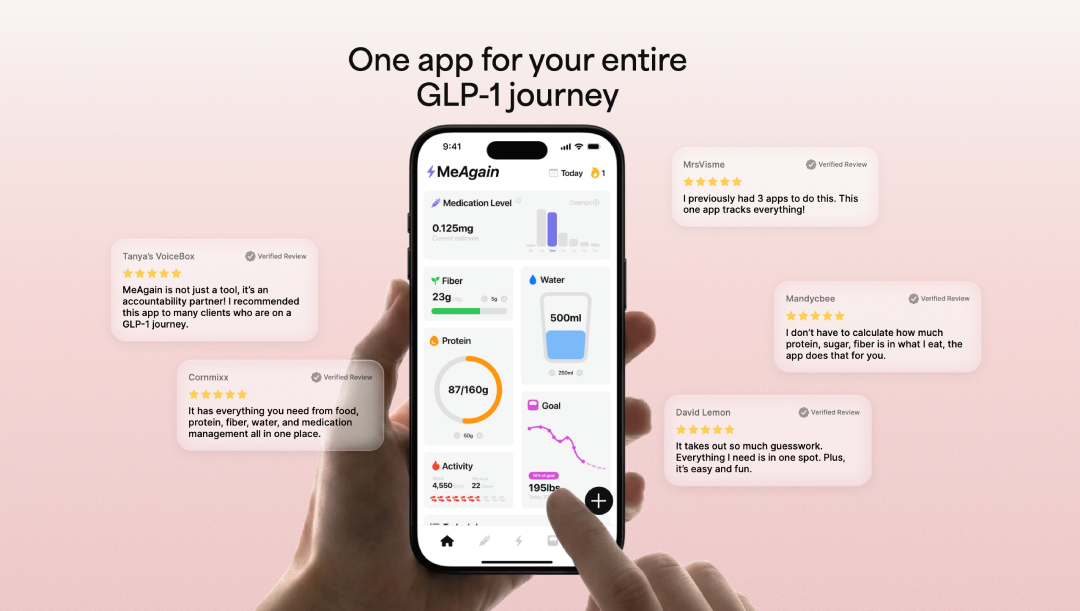
If you’re looking for an app that connects peptide tracking with broader health and progress data, then MAX Peptide AI is the better choice. GLP-1 users who want a friendly weight-loss app will find MeAgain to be a good choice, sure, but considering that it’s a much more expensive option ($99.99 for the annual subscription), I’d say this one’s a no-brainer.
Pep AI is probably the closest competitor to MAX Peptide AI. Both apps share a lot of the same (or similar) features, including custom protocols, reminders, AI capabilities, dose history, peptide calculators, and data export.
Pep AI is good at organising protocols and managing inventory. However, MAX Peptide AI doesn’t only help users log peptides. It links peptide tracking to body composition, nutrition, training, wellness metrics, and AI-driven insights. So for those who care about results, it may prove to be a more valuable pick in the long term.
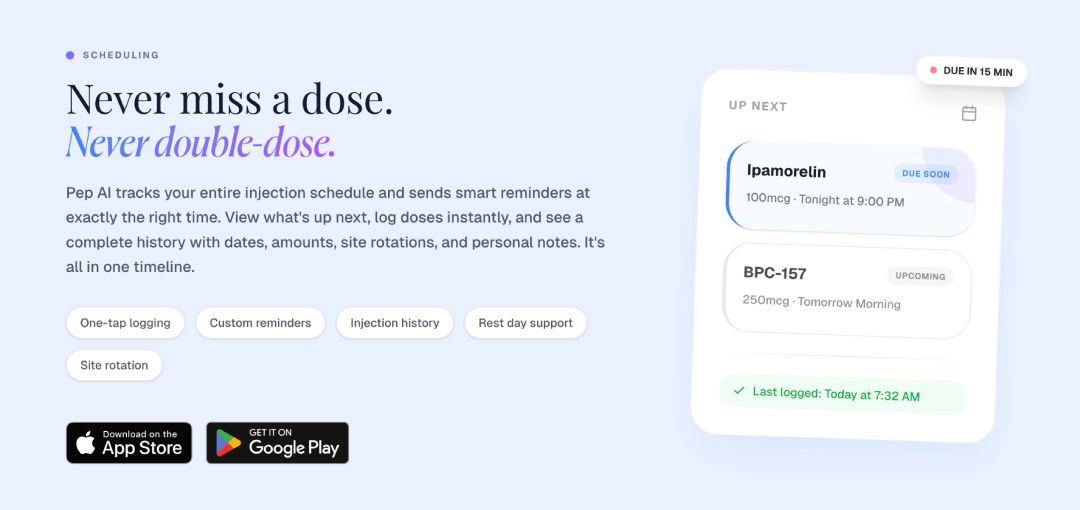
Pep AI is a solid peptide tracker, and probably the fairest head-to-head competitor to MAX Peptide AI. But if you want one app to be your complete peptide and wellness optimisation hub, I’d still recommend MAX Peptide AI.
And so, that wraps up my MAX Peptide AI review. Thanks for reading!
Admittedly, as I’ve mentioned at the beginning of the article, the variety of choice that users have with peptide trackers these days is at an all-time high. Standing out from the crowd is harder than ever before.
That said, I’d argue that MAX Peptide AI has managed to do so successfully.
Is MAX Peptide AI good, and is it worth trying out? Considering the fact that it’s positioned to be the ultimate peptide tracker mega app, I’d say so! If you’re looking for a convenient way to track your compounds and take your longevity journey to the next level, I highly recommend giving the app a shot.
Stay healthy, train hard, and I’ll see you on the next one!
Try MAX Peptide AI out today - cancel anytime if you don’t like what you see!



 Verified
MAX Peptide AI is a peptide tracker app. Essentially, it’s an application that allows you to track your peptide protocols, in addition to side effects, nutrition, sleep, recovery, and fitness goals. MAX Peptide AI is a feature-heavy platform designed to be a one-stop shop for all of your wellness needs.
Yes, the MAX Peptide AI app is 100% legit. It’s based on a lot of scientific research, and includes a variety of high-end features that users can explore and utilise. The app was created by a trusted brand in the longevity space, which further legitimises it.
Both MAX Peptide AI and Pep AI are actually quite similar. However, MAX Peptide AI has some more advanced features for the user to explore, with fewer limitations on analytics and progress tracking features. So, if you’re looking for a standalone app to use long-term, MAX Peptide AI will likely prove to be a better choice.
MAX Peptide AI features 3 pricing plans - weekly, monthly, and yearly. The prices are $7.99, $12.99, and $49.99, respectively. To date, it’s one of the more affordable peptide tracker apps on the market.
Yes, MAX Peptide AI has a built-in dosage and reconstitution calculator for a variety of different peptides. You may use the calculator tool in the app, or the one available on the Longeviters official website.
No - MAX Peptide AI has dedicated weekly, monthly, or yearly plans available. Upon purchase, these plans will unlock the entirety of the app and all of its features. That being said, you can still try the app out for yourself beforehand - it's just that there will be pretty big limitations on what you can do without a plan.
Join 60,000+ longevity biohackers and get our 5-min weekly read with the latest findings, research-backed protocols and tips to boost your daily habbits!
Searching for results...
Please wait while we find the resultsNo results found for ""
Try searching for a different termSomething went wrong
Please try again later